

Before any computer, server or phone leaves a business, someone has to answer one question: is the data gone? Most guides say wipe it, a few say shred it, and the right answer depends on the media and on what was on it. This guide sets out what we could find on the levels of sanitisation, why solid-state drives are different, what a certificate should show and what Australia's Privacy Act says about destroying personal information. The sources are NIST's guidance as described by security vendors, the Privacy Commissioner's published principles as summarised, and provider pages. We did not find the Australian Government's own Information Security Manual rules, so those are not covered. It is general information and not legal or security advice. It follows IT asset disposal in Australia. ScrapTrade runs a scrap marketplace and has a commercial interest in the scrap trade.
Three levels: clear, purge, destroy
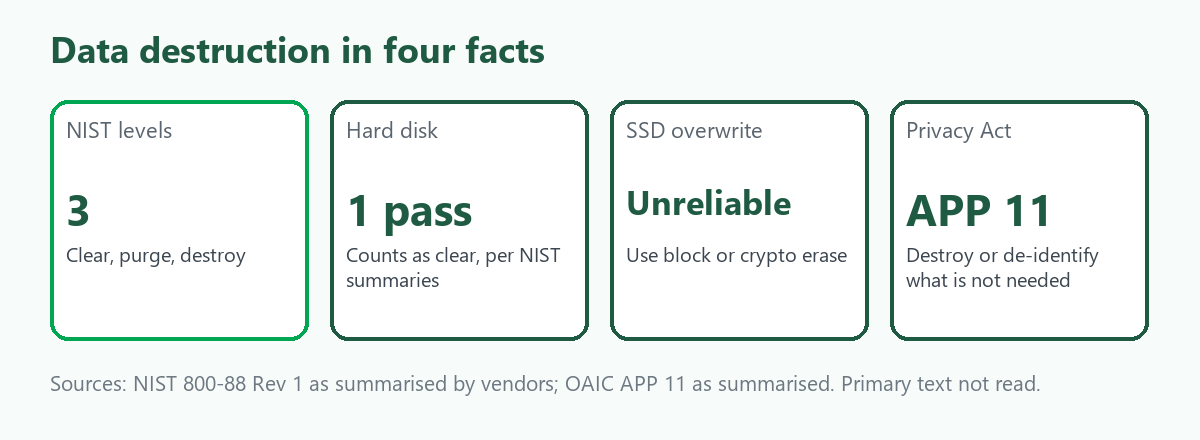
NIST Special Publication 800-88 Revision 1, from December 2014 and still the current edition according to the sources we read, defines three levels. Clear uses logical techniques on the user-addressable storage, such as overwriting. Purge gives substantially stronger assurance and is suitable when media leaves an organisation's control. Destroy renders the media physically unable to store data. Degaussing is listed as a purge technique for magnetic media. The authoritative text is NIST's own, which we did not read in full, and several of our sources were security vendor blogs, one of which wrongly attributed a multi-pass military method to NIST.
Hard disks and SSDs are different
For a hard disk, one overwrite pass counts as clear for modern drives, according to the guidance as summarised. For a solid-state drive, overwriting is not reliable, because the controller writes to different physical cells from the logical addresses you target, so data can survive in cells the normal interface cannot reach. The usual approach for SSDs is block erase or cryptographic erase, or physical destruction. Our guide to selling an old desktop computer covers the consumer versions of these steps.
What the Privacy Act says
Under Australian Privacy Principle 11.2, an organisation covered by the Privacy Act must take reasonable steps to destroy or de-identify personal information it holds once it is no longer needed for any purpose for which it may be used or disclosed under the principles. There are exceptions, including information in a Commonwealth record and information the entity is required by law or a tribunal to keep. APP 11 includes a section on destroying information held electronically, which we could not read, so check it for what counts as adequate destruction on drives. In one case summarised in our sources, a company's failure to destroy information promptly was found to breach the duty. The Government has also agreed in principle to change APP 11 so entities set their own retention periods, and we did not verify the status of that reform. Whether the Act applies to your business depends on its size and activities, which we did not research, so get advice if you are unsure.
What a certificate should show
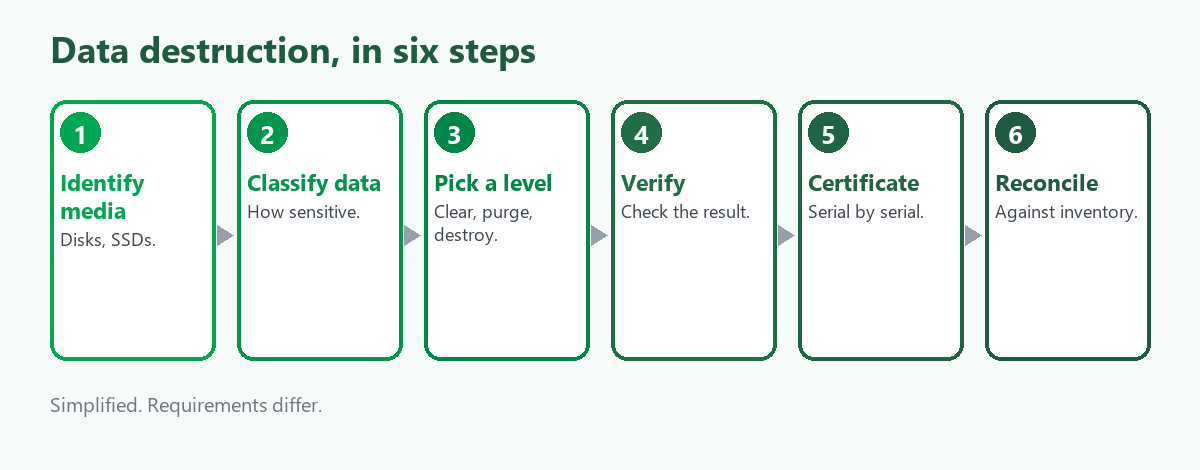
Provider guidance says to ask for a certificate for each asset and describes a serial-level certificate of destruction as the goal. In our reading, a useful one lists the serial number, the media type, the method used, the date and the person or site that did it, and it should match your inventory. A certificate for a pallet with no serial numbers tells you little. We did not find an Australian rule setting what a certificate must contain, so ask the provider what theirs covers.
Choosing a method
- A working hard disk you want to resell. Clear may be enough for low-risk data, and purge for anything sensitive that leaves your control.
- An SSD. Use the drive's own erase function, a cryptographic erase if encryption was on or physical destruction. Do not rely on a quick format.
- A drive that does not work. It cannot be wiped, so destroy it, or keep it.
- Phones and tablets. We did not research mobile sanitisation here.
Where ScrapTrade fits
ScrapTrade does not destroy data, and nothing on the marketplace replaces a sanitisation process. What it offers is a way for a business to sell scrap or lots, such as shredded drive material, boards or metals, to verified buyers once the data question has been closed. Listings are free of fees and commission, terms are negotiated in chat and a bid that is accepted leaves the buyer's 5 percent deposit in escrow. Sellers, whether companies or individuals, are verified first. How the platform handles data-bearing devices is something we could not confirm, so ask cs@scraptrade.com.au before listing anything that holds data.
What we could not verify
- The full NIST text and the Australian Information Security Manual rules.
- What the OAIC says counts as destroying electronic records.
- Whether the Privacy Act applies to your business.
- Penalties and the status of the proposed APP 11 change.
- Mobile device sanitisation.
- How ScrapTrade handles data-bearing devices.
Frequently asked questions
Is deleting files enough?
No. NIST treats logical overwriting as the lowest level, and a quick format or delete does not count.
How do I destroy data on an SSD?
Overwriting is unreliable. Use block or cryptographic erase, or destroy the drive.
What does the Privacy Act require?
APP 11.2 requires reasonable steps to destroy or de-identify personal information no longer needed, with exceptions.
Do I need a certificate?
It is sensible to ask for one for each asset, listing serial numbers.
Can ScrapTrade wipe my drives?
No. Do that first, or use a provider.
Sources
- NIST Special Publication 800-88 Revision 1 (December 2014), as described in security vendor summaries. The primary text was not reviewed.
- Office of the Australian Information Commissioner, APP guidelines on APP 11 and related guidance, as summarised in search results.
- Australian ITAD provider pages on certificates, as summarised in search results.
- ScrapTrade website, accessed November 2026.
General information only, not legal or security advice. Requirements depend on your organisation and data.