

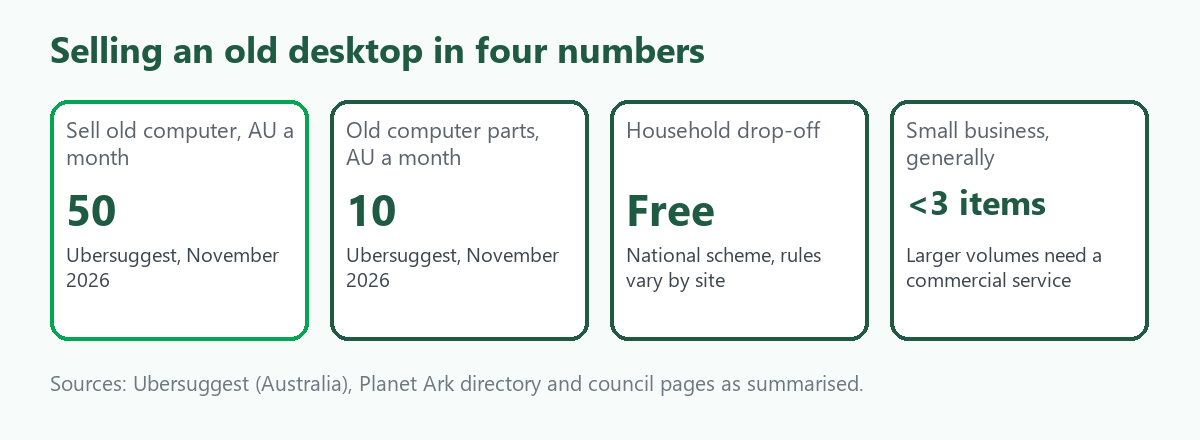
"Sell old computer" is searched about 50 times a month in Australia, according to Ubersuggest, and "where to sell old computer parts" about 10. The searchers have a desktop that still works or does not, and they want to know whether to sell it, strip it or recycle it, and how to make sure nobody reads their files. A desktop is harder to wipe than people expect, because a drive can be an old spinning disk or an SSD and the right method differs. This guide covers wiping the drive, selling whole or for parts, the free recycling scheme and what to do when you are clearing a whole office. It follows our guide to selling an old or broken laptop. We give no prices. ScrapTrade runs a scrap marketplace and has a commercial interest in the scrap trade.
Wipe the drive first
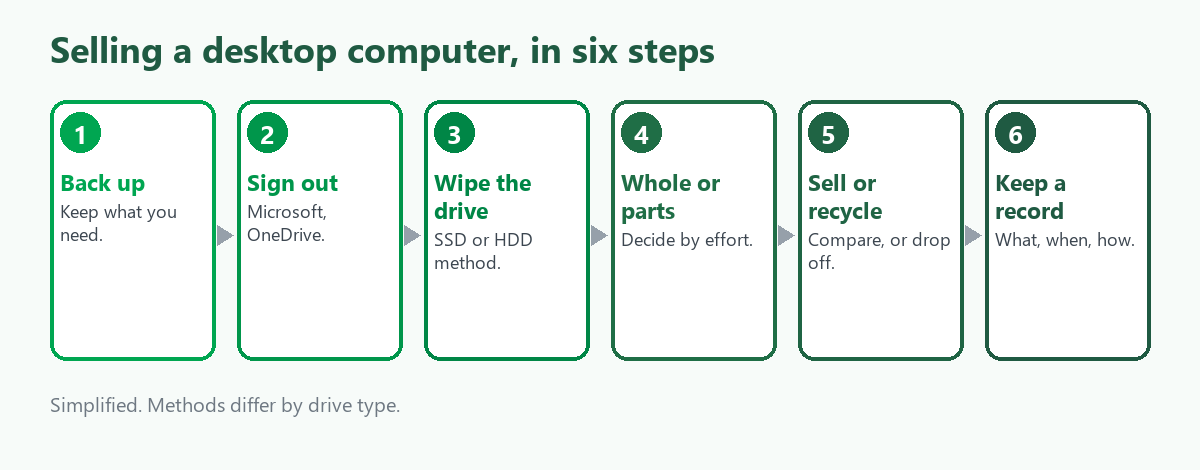
Most of the guides we read say the same thing: back up, sign out of your accounts and wipe the drive, in that order, and a plain "Reset this PC" is not the strongest option.
- Sign out and back up. Sign out of your Microsoft account and linked services such as OneDrive and browser sync, and remove the device from any account it is registered to.
- Windows reset. One guide says Reset this PC with Remove everything and Clean data turned on is usually enough for resale. A Microsoft community post describes the plain reset as not completely safe, so it recommends extra steps.
- SSDs. Several sources favour the drive's own secure-erase function. Tom's Hardware notes that some SSD makers offer free erase tools and some motherboard firmware has the feature.
- Hard disks. A mechanical drive needs an overwrite and not a quick erase. One forum suggests the built-in Cipher /W command.
- BitLocker. If it was on, wiping the drive removes the key, which adds a layer of protection, according to the guides.
These are consumer guides and forum posts, and we did not review a standard such as the NIST media sanitisation guidance, so for sensitive data treat them as a minimum. If the drive holds client or business records, or you cannot wipe it, take the drive out and keep or destroy it separately.
Sell it whole or for parts
A working desktop is simplest to sell whole, with the monitor, keyboard and mouse as extras. The graphics card, memory and storage are the parts people look for, and we found no reliable sourced figure for what any of them fetch, so we do not guess. The trade-off is effort. Selling parts means testing, listing, shipping and answering questions, and a whole machine sells in one go. A broken desktop may still sell for parts, as our guide to selling broken laptops, phones and monitors explains for other devices.
Where to sell
- Marketplaces and classifieds. More control over price, with fees, meeting strangers and pickup.
- Computer shops and refurbishers. Some buy whole machines or parts, and quotes differ, so ask more than one.
- Buyback sites. They are set up for laptops and phones, and we found little on desktops.
- Trade-in. Retailers sometimes take old machines against a new one.
Do not give personal details until you choose a buyer, and keep a note of what you wiped and when.
Free recycling if it is not worth selling
The National Television and Computer Recycling Scheme gives Australian households and small businesses free access to collection and recycling, and the Planet Ark directory at recyclingnearyou.com.au lists drop-off points. Listings include desktop PCs and workstations along with monitors, laptops, keyboards, mice, printers, scanners and cables. For a small business, the sources say generally fewer than three items go through the scheme and larger volumes need a commercial service, though one NSW council allows up to 15 items at its listed sites. Rules vary by site, some of our sources are older, including a 2012 government factsheet, and a council notes it is your job to delete the data, so call the drop-off point first. Our guide to where old electronics go follows the equipment after it is dropped off.
Clearing a whole office
A dozen desktops is a different job. Counting the machines, wiping every drive, keeping a list of what was wiped and finding a buyer or recycler who takes volume matters more than the price of any one computer. Ask a buyer whether they pay for working machines, what they do with the drives and whether they give you a written record. We did not research the Privacy Act or any contractual duties for client data, and if your machines held customer records you should get advice before they leave the building. Our guide to selling business equipment when you close down covers the wider clear-out.
Where ScrapTrade fits
A single desktop is not a ScrapTrade job. Marketplace listings suit volume: an office, a school, an IT reseller or a repairer with a pallet of machines, drives or boards. E-waste is one of its twelve categories and verified traders in more than 50 countries bid on lots. Listing is free with no commission, you negotiate live and an accepted bid places the buyer's 5 percent deposit in escrow. Businesses and individuals can sell once verified. We could not confirm that working computers can be listed, or how the marketplace treats data on drives, so email cs@scraptrade.com.au first.
Clearing a whole office or IT room? For the process, standards and questions to ask, see IT Asset Disposal in Australia: How It Works.
For business-grade wiping, SSDs and the Privacy Act duty, see Data Destruction for Old IT: Wipe or Shred.
What we could not verify
- What any desktop or part is worth. We give no prices.
- Whether a particular wipe method meets a standard. We read consumer guides, not NIST or the manufacturers' tools.
- Current drop-off limits at any site. They vary and some sources are older.
- Privacy Act and contract duties for business data.
- Whether ScrapTrade accepts working computers or how it treats data on drives.
Frequently asked questions
How do I wipe an old computer before selling it?
Back up, sign out of your accounts and use Reset this PC with Remove everything and Clean data, or your SSD's secure erase. For a hard disk, overwrite it. Treat the guides as a minimum.
Is a factory reset enough?
One guide says Remove everything with Clean data is usually enough for resale, and a Microsoft community post says a plain reset is not completely safe.
Can I recycle an old desktop for free?
Yes for most households and small businesses through the national scheme, with limits that vary by site. Check the drop-off point first.
Should I sell the parts separately?
Only if a part is worth the effort. We found no reliable figures.
Can I list computers on ScrapTrade?
E-waste is a category, and we could not confirm working computers, so ask support.
Sources
- Ubersuggest keyword data, Australia, queried November 2026.
- Backblaze, Tom's Hardware, Microsoft community and other consumer guides on wiping drives, as summarised in search results.
- Planet Ark recycling directory, a 2012 government factsheet and council pages on the National Television and Computer Recycling Scheme, as summarised in search results.
- ScrapTrade website, accessed November 2026.
General information only, not security or legal advice. Steps differ by system and drive type.