

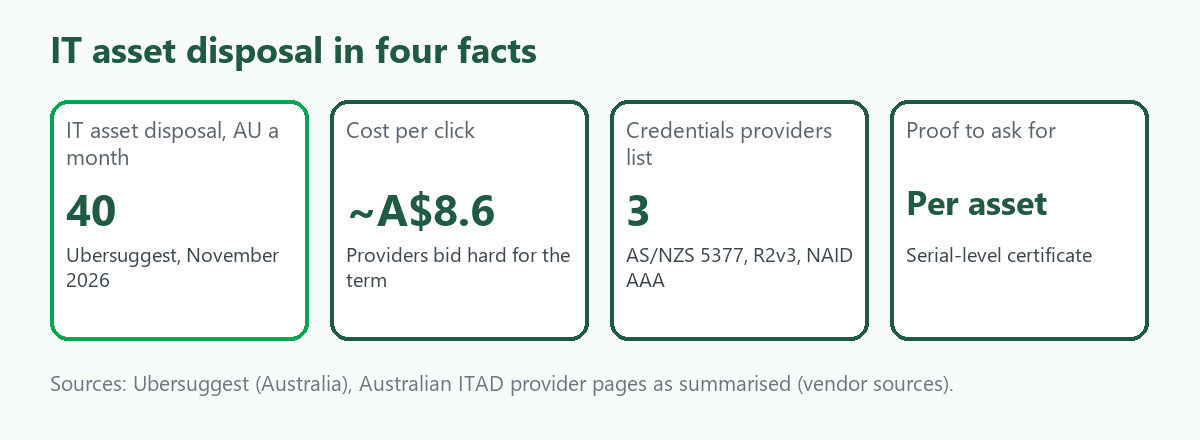
"IT asset disposal" is searched about 40 times a month in Australia, according to Ubersuggest, and it costs about 8.6 dollars a click, which suggests that providers bid hard for the term. The searchers are usually an IT manager, an office manager or a business owner with old computers, servers and phones to clear, who want to know what a proper process looks like and what they are responsible for. This guide explains the steps, what providers say their credentials mean, the questions to ask and where resale and scrap fit. Almost everything we found on providers is vendor marketing, so we treat it as a checklist and not as proof. It is the business companion to our guides on selling an old desktop computer and where old electronics go. We give no prices. ScrapTrade runs a scrap marketplace and has a commercial interest in the scrap trade.
What the process looks like
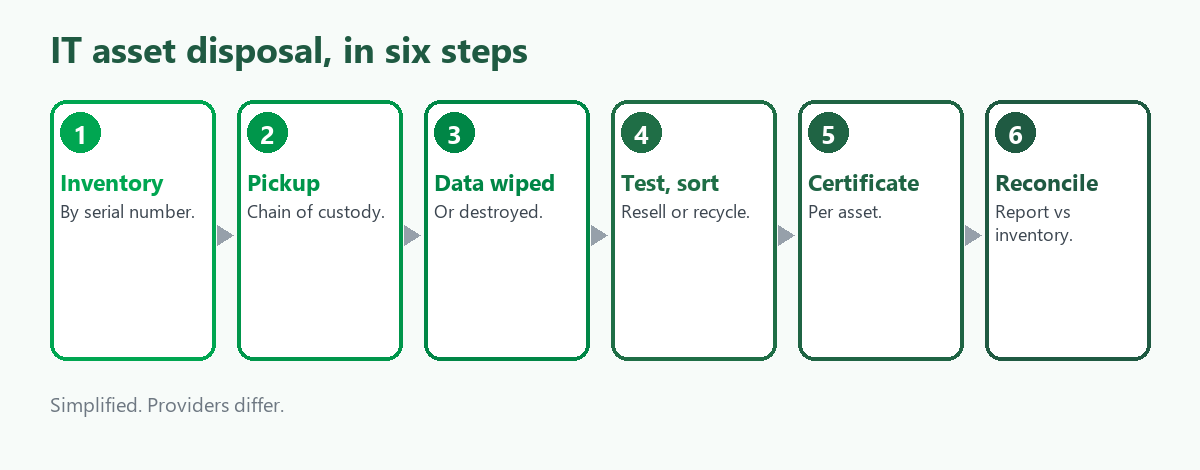
The providers we read describe the same sequence, though the detail varies:
- Inventory. List what is leaving, by type, make and serial number.
- Pickup under a chain of custody. One provider describes sealed containers, scan events, GPS-verified transport and two sign-offs at each handover, and one guide says to look for serialised tracking from pickup to final disposal.
- Data sanitisation or destruction. Drives are wiped to a method suited to the media, or physically destroyed when wiping is not suitable. Our guide to data destruction for old IT equipment goes through the methods.
- Testing and sorting. Equipment with resale value is tested and sold on, and the rest is recycled for its materials.
- Certificates and reporting. A certificate of destruction or sanitisation, ideally serial by serial, and a report that matches the inventory.
Standards providers list
Australian providers advertise AS/NZS 5377, an Australian standard for end-of-life electrical and electronic equipment that we did not read, along with R2v3, NAID AAA and ISO management certifications. One describes R2 as aimed at e-recycling practice and NAID AAA as aimed at secure data destruction. We did not read the standards themselves, and the search results did not explain what AS/NZS 5377 requires in detail. Do not take a logo as proof. Ask for the current certificate, which facility it covers and the audit date, as one guide advises. Our guide to e-waste certification looks at R2 and e-Stewards from a global view, and the vendor sources there disagree on details too.
Questions to ask a provider
- Which certificates cover the site that will handle my equipment, and when were they last audited?
- Which sanitisation method is used for each type of media, and is the result verified?
- When do you destroy a drive and not wipe it?
- Do I get a certificate for every asset, and does it cover the recycling?
- Do you use downstream processors, and can I see who they are? One source warns against exporting hardware to uncertified vendors that mishandle data.
- How is resale value reported against the disposal cost, and who owns the proceeds?
Resale versus scrap
Part of a clear-out can be sold. A recent server, a good laptop or a rack of network gear may have buyers, and the rest is materials: metals, circuit boards and drives. Our guides to selling used servers and data centre equipment and selling used switches, routers and firewalls cover the resale side, and the data has to be dealt with first either way. We found no sourced figure for what a typical clear-out recovers, so we give none.
If you only have a few items
The free national scheme for televisions and computers takes computers, monitors, printers and cables from households and small businesses, generally fewer than three items for a business through the scheme, according to the sources we found. One council notes the data is your job to delete. Our desktop guide covers it.
Where ScrapTrade fits
ScrapTrade is not an IT asset disposal provider. It does not collect equipment, wipe drives or issue certificates, and a business with sensitive data should use a provider that does. The marketplace may be useful for a business, a managed service provider or a reseller with a lot of wiped equipment, boards or metal to sell to verified buyers. E-waste is one of its twelve categories. Listing costs nothing and carries no commission, you negotiate in chat and the buyer's 5 percent deposit is held in escrow after a bid is accepted. We could not confirm how it handles data on drives or whether working equipment can be listed, so ask cs@scraptrade.com.au.
What we could not verify
- What AS/NZS 5377, R2v3 or NAID AAA require in detail. We saw provider summaries.
- What any provider charges or pays. We give no prices.
- Government requirements. We did not find the Australian Government Information Security Manual's sanitisation rules.
- Whether ScrapTrade accepts working equipment or data-bearing devices.
Frequently asked questions
What is IT asset disposal?
The managed process of collecting, wiping or destroying and then reselling or recycling a business's old IT equipment, with records at each step.
Which standards should an Australian provider hold?
Providers advertise AS/NZS 5377, R2v3 and NAID AAA. Ask for current certificates, their scope and audit dates.
Do I get proof the data was destroyed?
You should ask for a certificate, ideally per asset, and a report that matches your inventory.
Can old IT equipment be sold?
Some can, and the data must be sanitised first. Others are recycled for materials.
Does ScrapTrade do IT asset disposal?
No. It is a marketplace for scrap and lots. Ask support whether your equipment fits.
Sources
- Ubersuggest keyword data, Australia, queried November 2026.
- Australian ITAD provider pages and guides on process, credentials and certificates, as summarised in search results. These are vendor sources.
- Council and Planet Ark pages on the national television and computer recycling scheme, as summarised in search results.
- ScrapTrade website, accessed November 2026.
General information only, not legal or security advice. Providers and requirements vary.