

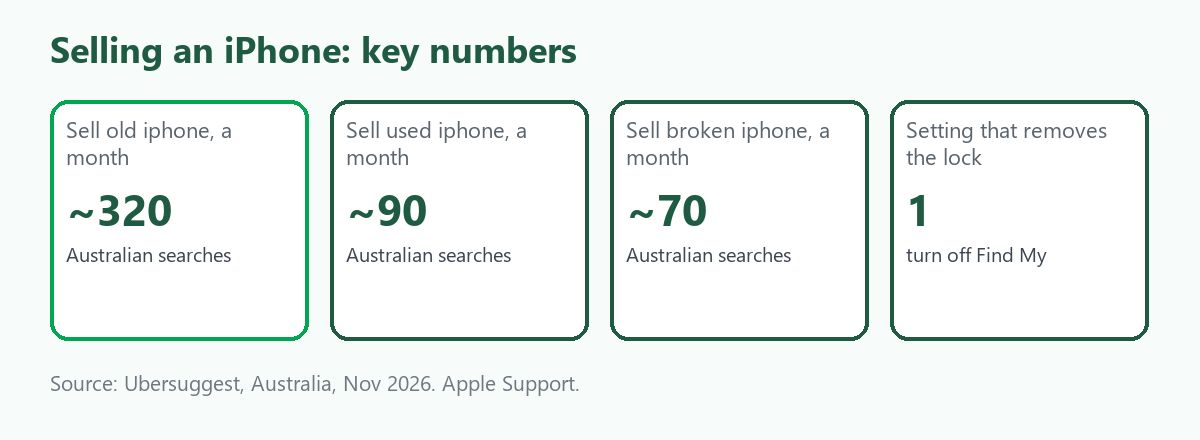
The iPhone is the single most searched device in this category: in Australia, "sell old iphone" is searched about 320 times a month, "sell used iphone" about 90, and "sell broken iphone" and "sell faulty iphone" about 70 each, according to Ubersuggest. It is also the device where one skipped step does the most damage. An iPhone still tied to your Apple Account is locked, worthless to a buyer and a headache for you. This guide covers what to do before you sell, how condition changes the options, and where a trade marketplace fits. It is part of our guide to selling broken, faulty or old electronics. We give no prices, because we found no reliable source for what iPhones sell for, and ScrapTrade has a commercial interest in the scrap trade.
Step 1: Sign out and turn off Find My
Apple's own guidance for selling, giving away or trading in an iPhone has four parts, which we summarise from its support pages. Back up first, because erasing removes the data from the phone. Then sign out of your Apple Account in Settings and turn off Find My. Apple says that turning off Find My automatically removes Activation Lock, which is the feature that stops anyone else using the phone. Next, erase the device, which on current iPhones is General, then Transfer or Reset iPhone, then Erase All Content and Settings. Apple notes this removes added cards, photos, contacts, music and apps from the phone, but does not delete what is stored in iCloud. If the phone uses an eSIM, choose the option to erase the eSIM profile too. Finally, remove the device from your trusted devices list and, as Apple advises, consider changing your Apple Account password and checking two-factor authentication, so the next owner cannot delete your iCloud data.
Step 2: If the phone is broken, or you forgot
A broken iPhone is the hard case, because you may not be able to reach the settings. Apple says you can still clear Activation Lock remotely: go to icloud.com/find, select the device, erase it, then remove it from the account. Activation Lock is removed immediately and the device leaves Find My. You can also use the Find My app on another Apple device. Apple also warns buyers not to take ownership of a device that still shows Activation Lock, and to ask the seller to erase it completely. That is why a faulty iPhone with the lock still on is close to unsellable, and why doing this before you list matters.
Step 3: Grade it honestly
- Working. It powers on and works. It can be sold whole, traded in or sold to a trader.
- Cracked or damaged but working. A repairable phone. Say what works and what does not.
- Faulty. It will not power on, charge or hold a charge, or the camera, speaker or microphone has failed. A repairer may want it for the board or parts.
- Water-damaged or crushed. Likely parts or recycling only.
Apple's US trade-in page lists display conditions for credit, such as responding to touch, adjustable brightness, being attached to the body and not being shattered, and says very old or severely damaged devices may not get credit and that ineligible devices are recycled free. Forum users report wildly different estimates for cracked phones, and we could not confirm Australian terms, so use Apple's Australian estimator with the real condition. Some users suggest repairing a screen before trading in. We cannot say whether that pays, because it depends on the phone and the repair cost.
Step 4: Choose where to sell
- Apple Trade In or a carrier trade-in. Convenient, with credit based on condition.
- A private sale. Often the best price for a working iPhone, with the most effort.
- A repairer, trader or parts buyer. The route for cracked, faulty and bulk iPhones. Many buyers want the exact model number and iOS state.
- Free recycling. MobileMuster takes any mobile phone at no charge. See Sell an Old Phone for Cash in Australia for how it works.
Why sell iPhones on ScrapTrade
A single recent, working iPhone usually does better with a consumer sale or a trade-in. ScrapTrade is for the awkward cases: iPhones that are faulty, or iPhones in numbers, such as a box of upgraded business handsets. Repairers and refurbishers who know exactly what a given fault costs to fix are the likeliest buyers, and ScrapTrade lists them as verified traders across more than 50 countries. It is free to list and there is no commission, and the built-in AI can draft the description for you to check. Buyers can chat and negotiate in real time, and after you accept a bid the buyer's 5 percent deposit stays held in escrow. Businesses and individuals can both sell after verification. The full process is in our pillar guide.
In the listing, give the model, storage, condition, whether it has been erased and Activation Lock released, the battery state if you know it, and exactly what is faulty.
Safety
A swollen or damaged battery is a fire risk. Do not post it or put it in a bin, and ask the collection point how to hand it over. Do not open an iPhone yourself to remove the battery. For landfill rules and what happens after recycling, see Where Old Electronics Go After You Hand Them In.
What we could not verify
- What iPhones sell for, working or broken. We found no reliable source.
- Apple's Australian trade-in terms. We saw only the US page and forum posts.
- ScrapTrade's verification steps. Ask support at cs@scraptrade.com.au.
- Whether repairing before trade-in pays.
Frequently asked questions
Can I sell a broken iPhone?
Yes, to a repairer, trader or parts buyer, if you describe the fault and model honestly. Remove Activation Lock first.
What is Activation Lock and why does it matter?
It is the feature that ties the phone to your Apple Account. Apple says turning off Find My removes it. A phone with it still on is hard to sell.
Can I remove Activation Lock if the phone is dead?
Apple says to use icloud.com/find, select the device, erase it, then remove it from your account.
Is it worth fixing a cracked iPhone before selling?
It depends on the phone and the repair cost, and we could not find a reliable answer. Get a quote and compare it with an offer.
Sources
- Ubersuggest keyword data for Australia, queried November 2026.
- Apple Support, "What to do before you sell, give away, or trade in your iPhone or iPad", and Activation Lock and Find My pages, as summarised in search results.
- Apple, Trade In page (US), and Apple Community forum posts, as summarised in search results.
- MobileMuster program pages, as summarised in search results.
- ScrapTrade website, accessed November 2026.
This is general information, not financial or security advice. ScrapTrade operates a scrap marketplace and has a commercial interest in the scrap trade.