

Network gear is easy to wipe and hard to sell cleanly, because the value is in the software and the licence, and the licence often stays with the original buyer. This guide covers what we found on selling used switches, routers and firewalls: what to wipe, why Cisco licences and warranties do not usually transfer, what to tell a buyer and where the gear goes. Much of what we found is Cisco's own policy pages and community threads, some old, so it is Cisco-centred and we do not know how other vendors treat it. We give no prices. It sits beside our guides to selling used servers and IT asset disposal. ScrapTrade runs a scrap marketplace and has a commercial interest in the scrap trade.
Licences and warranties
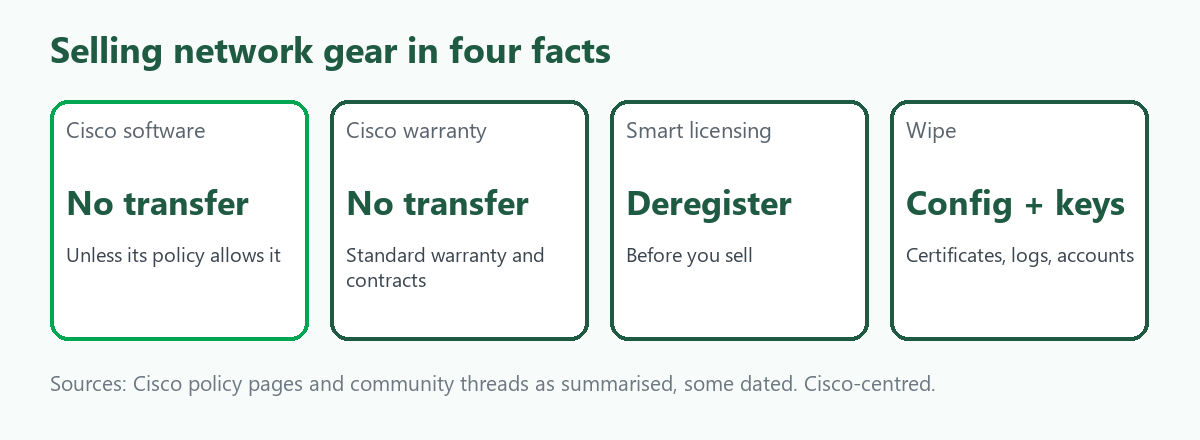
Cisco's page says its software, whether embedded in the device or standalone, cannot be transferred unless its Software License Transfer and Re-Use Policy allows it, and licences are not otherwise transferable from user to user. The policy has exceptions that may avoid a new licence fee. A Cisco community post says that if you buy used or secondary-market Cisco equipment you must get a new licence from Cisco before the software can be used. Cisco's standard warranty and service contracts are not transferable either, according to what we read. Devices tied to a Smart Licensing account raise a further problem, because they are linked to the original purchaser, and the advice is to deregister the device from your Smart Account before you sell, using Cisco's documentation for your model.
Other vendors have their own terms, and we did not research them. Read the licence for your gear, and tell the buyer plainly what does and does not come with it.
What to wipe
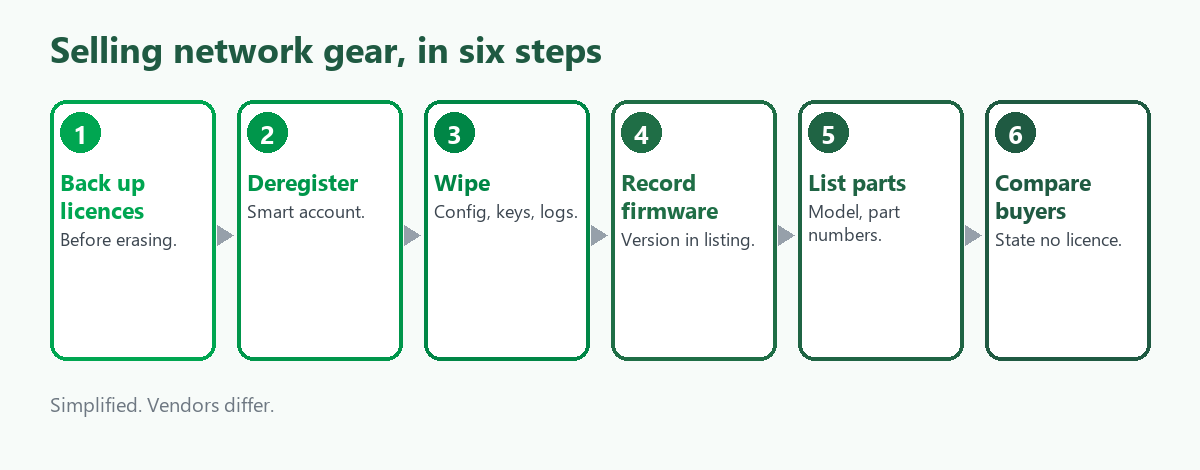
A factory reset or a write erase command removes the configuration. One Cisco thread advises backing up your licence files straight after installing them and before you erase, so you keep a record. For sensitive networks, buyers and ITAD firms also offer certified sanitisation that removes configurations, keys, certificates, logs and user accounts from routers, switches, firewalls and load balancers. In our reading that matters most for a firewall, which may hold VPN keys and rules that describe your network. We found no complete, current step-by-step guide for any one model, and some of what we read is old, so use the vendor's documentation for yours.
What a buyer wants to know
- Model and part numbers. Buyers search by exact part.
- Firmware version. One ITAD guide says some buyers do not understand the implications of the installed firmware or configuration, so state the version in your listing.
- Condition and whether it has been tested. Say whether it was running when removed.
- What licences and support come with it. Usually none, so say so.
- Accessories. Power supplies, modules, rack ears and cables.
Some vendors have made secondary-market use harder, and an article we found says Cisco has made pre-owned hardware more difficult to use. We did not read the detail, so check the current position with the vendor.
Where to sell
- Used network equipment resellers. They quote by part number and may collect.
- ITAD providers. They wipe the gear and remarket or recycle it. Our guide to IT asset disposal explains what to ask.
- Marketplaces. More control, and you carry the explaining about licences.
- Recycling. Gear that is old, unlicensed or untestable is materials.
What to put to a buyer in writing
A sale of used network gear is mostly about what the buyer is and is not getting, so settle it before the gear moves. Ask the buyer:
- What will you pay for each part number, and when? Get the terms in writing, including who pays for collection.
- Will you take it without licences or support? If the answer is no, you may be holding gear nobody wants at the price you hoped.
- How will you treat the configuration and keys? If you have wiped them, say so, and ask whether the buyer will wipe again.
- Will you give a record of what you received? A list by serial number protects you if the gear turns up in a dispute.
- What happens if a unit is not as described? Agree on returns before shipping.
None of this is a legal requirement that we found. It is how we would structure the sale, based on the licence and warranty limits above.
Where ScrapTrade fits
ScrapTrade is not a network equipment reseller and cannot transfer a vendor licence. It may suit a business or a managed service provider with a pallet of wiped switches and cabling, or retired boards and metal, to put in front of verified buyers. A listing carries no fee or commission, you negotiate the terms in chat and, once a bid is accepted, the buyer's 5 percent deposit is held in escrow. Both businesses and individuals can sell after verification, and traders in more than 50 countries bid. We could not confirm that working network gear is accepted, so ask cs@scraptrade.com.au.
What we could not verify
- What any device sells for. We give no prices.
- Licence and warranty terms for vendors other than Cisco.
- A current step-by-step wipe procedure for any model.
- How the market treats gear sold without a licence.
- Whether ScrapTrade accepts working network equipment.
Frequently asked questions
Do Cisco licences transfer when I sell a switch?
Not unless Cisco's transfer policy allows it, according to Cisco's page. A buyer may need a new licence.
Does the warranty transfer?
Cisco's standard warranty and service contracts are not transferable, according to what we read.
How do I wipe a router or switch?
A factory reset or write erase clears the configuration, and certified sanitisation also removes keys, certificates and logs. Use your vendor's documentation.
Do I need to deregister a smart-licensed device?
Cisco's advice is to deregister it from your Smart Account before selling.
Can I list network gear on ScrapTrade?
E-waste is a category. Ask support whether your gear fits.
Sources
- Ubersuggest keyword data, Australia, queried November 2026.
- Cisco licence transfer, relicensing and warranty pages, Cisco community threads and reseller guides, as summarised in search results. Some are dated.
- ScrapTrade website, accessed November 2026.
General information only, not legal or security advice. Licence terms vary by vendor and product.