

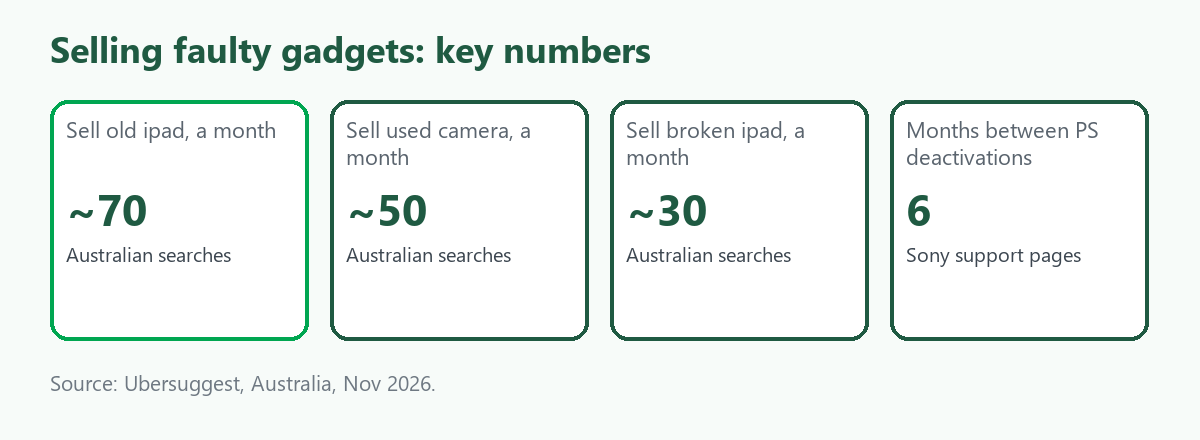
Consoles, tablets and cameras are the long tail of "sell faulty electronics": individually small searches, but plenty of devices. In Australia, according to Ubersuggest, "sell old ipad" is searched about 70 times a month, "sell used camera" about 50, "sell broken ipad" about 30, and "sell broken ps5", "sell broken nintendo switch" and "sell broken tablet" about 10 each. The volumes are small, and the devices are not. The key point for all of them is that each is tied to an account, and a console still registered to you is hard to sell. This guide covers what to do before you sell, how to grade a fault and where to sell. It is part of our guide to selling broken, faulty or old electronics. We give no prices, because we found no reliable source, and ScrapTrade has a commercial interest in the scrap trade.
Consoles: deactivate, then reset
Xbox. Microsoft says resetting a console to factory defaults erases all accounts, saved games, settings and home Xbox associations. If the console has been offline for a while, connect it to the network before you reset so it syncs.
PlayStation 5. Sony's support pages describe two steps. First, under Settings, Users and Accounts, then Other, choose Console Sharing and Offline Play and disable it. Then go to Settings, System, System Software, Reset Options and choose Reset Your Console. Sony notes the reset cannot be undone. If you cannot reach the console, you can deactivate all your consoles remotely, but not an individual console, and a console can only be deactivated once every six months.
Nintendo Switch. Nintendo says to deregister the pass-enabled console first, from the eShop under your user settings, and then initialise the console or restore it to factory settings. Initialising does not delete your Nintendo Account, but it unlinks the account from the console. Save data is lost unless you have backed it up with the Save Data Cloud feature, and if the console is offline during initialisation it stays registered as your primary console.
A console you cannot reset, because it will not start, may still be registered to you. Deactivate it from your account if the maker allows it, and tell the buyer what you could not do.
Tablets
An iPad follows the same Apple steps as an iPhone: sign out, turn off Find My, which removes Activation Lock, then erase. See Sell a Broken or Old iPhone in Australia. For an Android tablet, Google says to remove your Google Account before selling, which turns off Factory Reset Protection, then factory reset. An old tablet is a common item in the "old" searches, and a cracked one is a repairable device.
Cameras and other gadgets
For a camera, remove the memory card and keep it, clear any stored Wi-Fi and account settings through the menu, and note the shutter count, lens mount and any faults if you can find them. A camera's value is in the body, the lens and the sensor, so say what works. We did not find a source for Australian camera resale values or for smartwatch and earbud processes, so we give no steps for those beyond signing out of the linked account and following the maker's reset instructions.
Grade it
- Working. It turns on, runs and connects. Sell whole.
- Faulty but repairable. A known fault such as a broken disc drive, stick drift, a cracked screen or a failed charging port.
- Parts only. It does not power on. Boards, screens and drives may still be used.
- Scrap. Water-damaged or crushed. Recycle it.
Describe the fault in plain words and test what you can safely test.
Where to sell
- To a consumer. Best for working gear, with the most effort. See the best way to sell old electronics online in Australia.
- To a repairer or trader. The route for faulty consoles, tablets and cameras, and for several of them at once.
- Recycle free. The National Television and Computer Recycling Scheme accepts tablets, computers and peripherals at no charge for households and small businesses, according to our search summaries, and drop-off points may take other e-waste. Check what each point accepts. For what happens next, see Where Old Electronics Go After You Hand Them In.
Why sell faulty gadgets on ScrapTrade
A repair shop's shelf of dead consoles, a retailer's returns or an office's retired tablets share one trait: the person who can fix or part them out is the person who will pay most. ScrapTrade puts those stock lots in front of verified traders in more than 50 countries, under its e-waste category. Listing costs nothing and there is no commission; the AI helper can draft the description, and you agree collection or shipping terms with the buyer directly. When you accept a bid, the buyer's 5 percent deposit is held in escrow. Businesses and individuals can both sell after verification. One broken console is rarely worth a trade listing, and a consumer sale or free recycling will be simpler for a single unit. The full process is in our pillar guide.
What we could not verify
- What faulty consoles, tablets and cameras sell for. We found no reliable source.
- Steps for smartwatches, earbuds and other gadgets.
- Current maker instructions. We relied on search summaries of the support pages, so check the maker's page for your model.
- ScrapTrade's verification steps. Ask support at cs@scraptrade.com.au.
Frequently asked questions
Can I sell a faulty Xbox, PS5 or Switch?
Yes, to a repairer or trader, if you describe the fault honestly and deactivate your account first.
How do I wipe a console before selling it?
Deactivate it or deregister it from your account, then factory reset it. The steps differ for Xbox, PlayStation and Switch.
Can I sell a broken iPad or tablet?
Yes, as a repairable or parts-only device. Turn off Find My on an iPad, or remove the Google Account on an Android tablet.
Can I recycle an old tablet for free?
Yes. The national television and computer scheme accepts tablets at no charge for households and small businesses.
Sources
- Ubersuggest keyword data for Australia, queried November 2026.
- Microsoft Xbox Support, "Reset your Xbox console to factory defaults"; Sony PlayStation Support, "Transfer or dispose of your PlayStation console" and "How to deactivate a PlayStation console"; Nintendo Support, deregistering and initialising a Switch, as summarised in search results.
- Apple Support and Google Android Help pages, as summarised in search results.
- Department of Climate Change, Energy, the Environment and Water, National Television and Computer Recycling Scheme pages, as summarised in search results.
- ScrapTrade website, accessed November 2026.
This is general information, not financial or security advice. ScrapTrade operates a scrap marketplace and has a commercial interest in the scrap trade.